
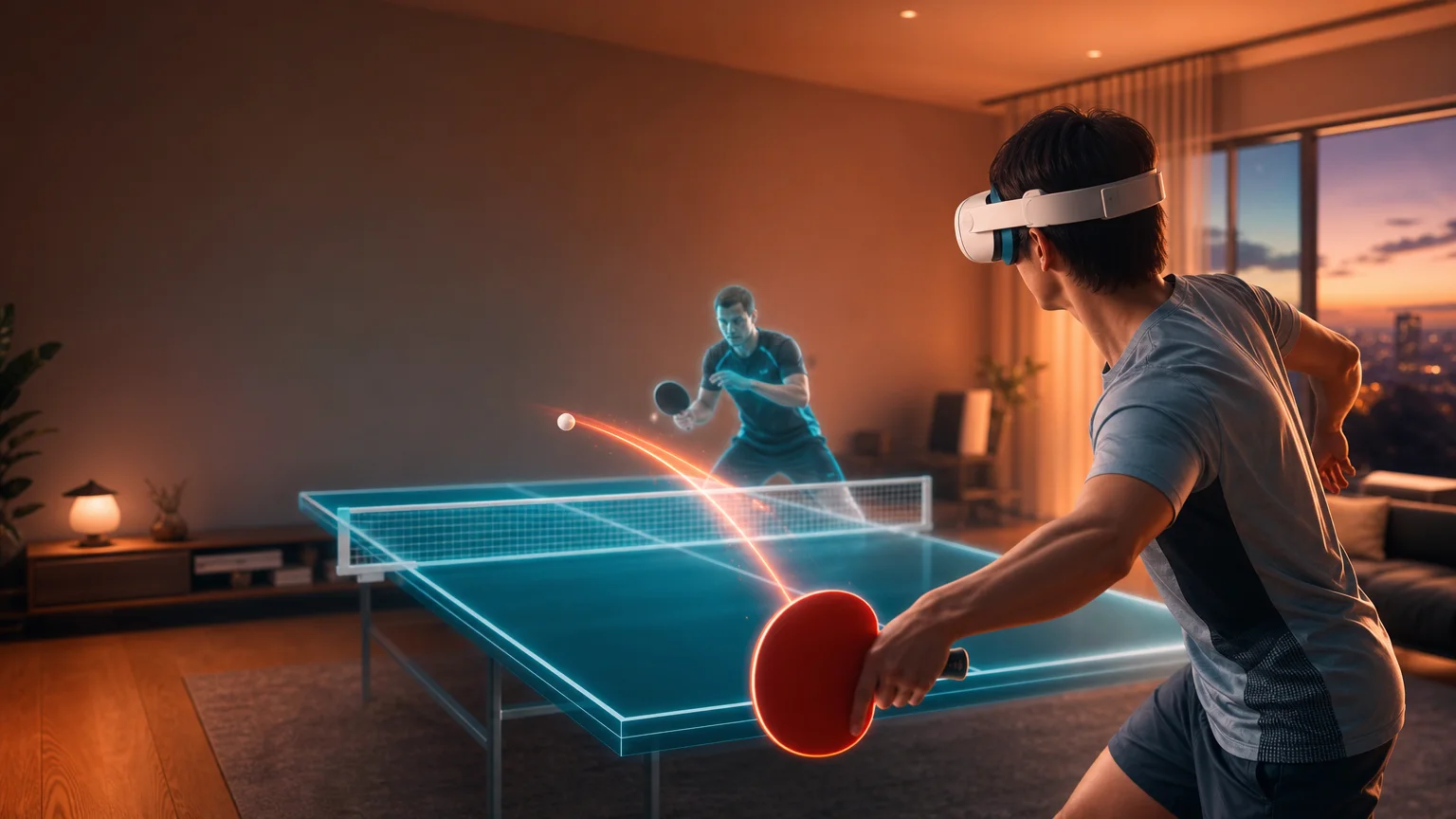
Meta Quest 3 & 3S WebXR 1v1 online
New: a tournament every eveningTable tennis in virtual and mixed reality, free in your headset.
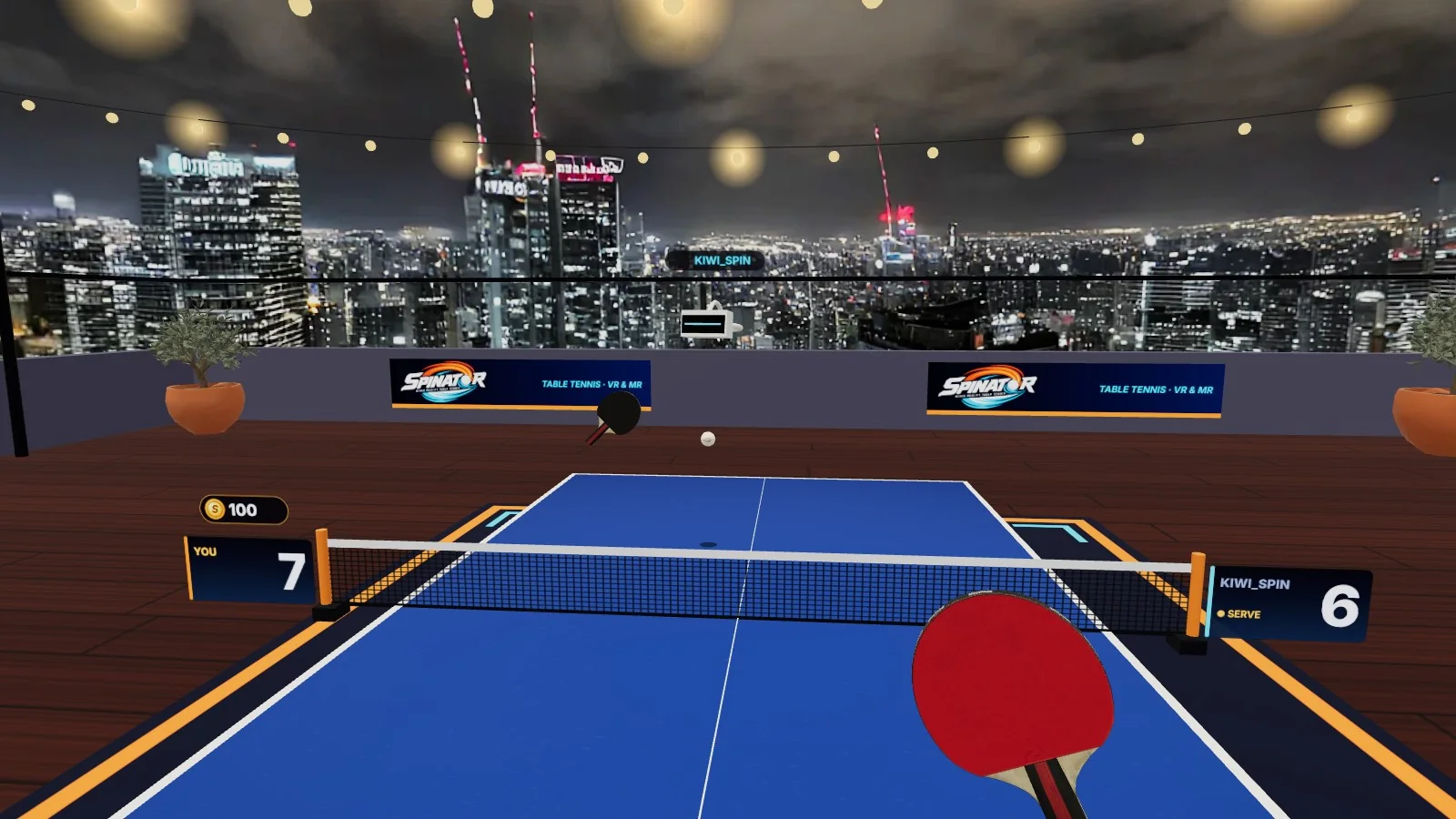
A real table in your living room, or a rooftop at night facing the city. Take on a real player online, climb the ranking, or practise against the AI. Nothing to install, no account.
On a computer or phone? The game runs in the headset: scan the QR code with your Quest or send yourself the link.
- Price
- Free
- Install
- None
- Online
- Ranked 1v1
- Play with
- Bare hands or controllers
- Tournaments
- Every evening
Spin trailTopspinBackspinSidespin
Features
A real VR table tennis game, made for your living room
Everything you need to hit the ball like at the club: no cable, no download, and no controller if you prefer.
-
VR or MR, your choice
Play on a rooftop at sunset or under the stars, or put the table right in your room in mixed reality. Switch anytime from the headset menu.
-
Bare hands or controllers
The paddle sits in your fist thanks to hand tracking. On Quest 3, your real hands pass in front of the table and ball (occlusion). One controller and one bare hand? That works too.
-
Realistic physics & spin
Topspin, backspin, sidespin: the ball really spins (Magnus effect). Bounce tuned to the official ITTF test, grippy rubber, and your wrist flick counts.
-
8 AI players and the Circuit
Eight AI opponents, each with a style, and three cups to win (Bronze, Silver, Gold). Or the computer in 3 levels. Official rules (11 points, win by 2, serve every 2 points, lets) and an automatic umpire.
-
Practice mode
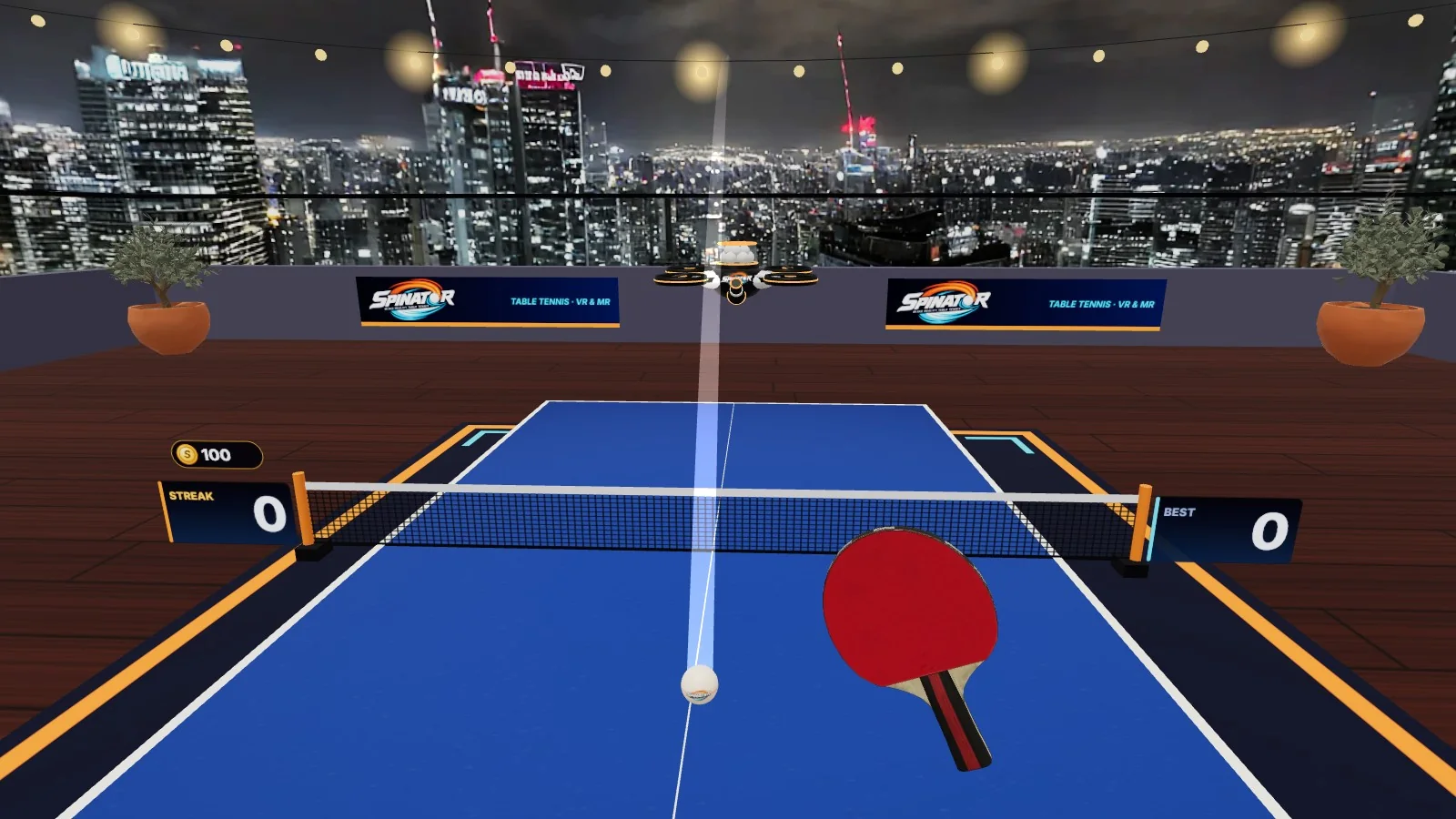
A launcher drone feeds you balls: one at a time, in bursts, or at targets to win medals. Build your streak and beat your record.
-
Zero install
A free WebXR game: it starts from the headset browser, no store, no download, no account. One address and you're playing.
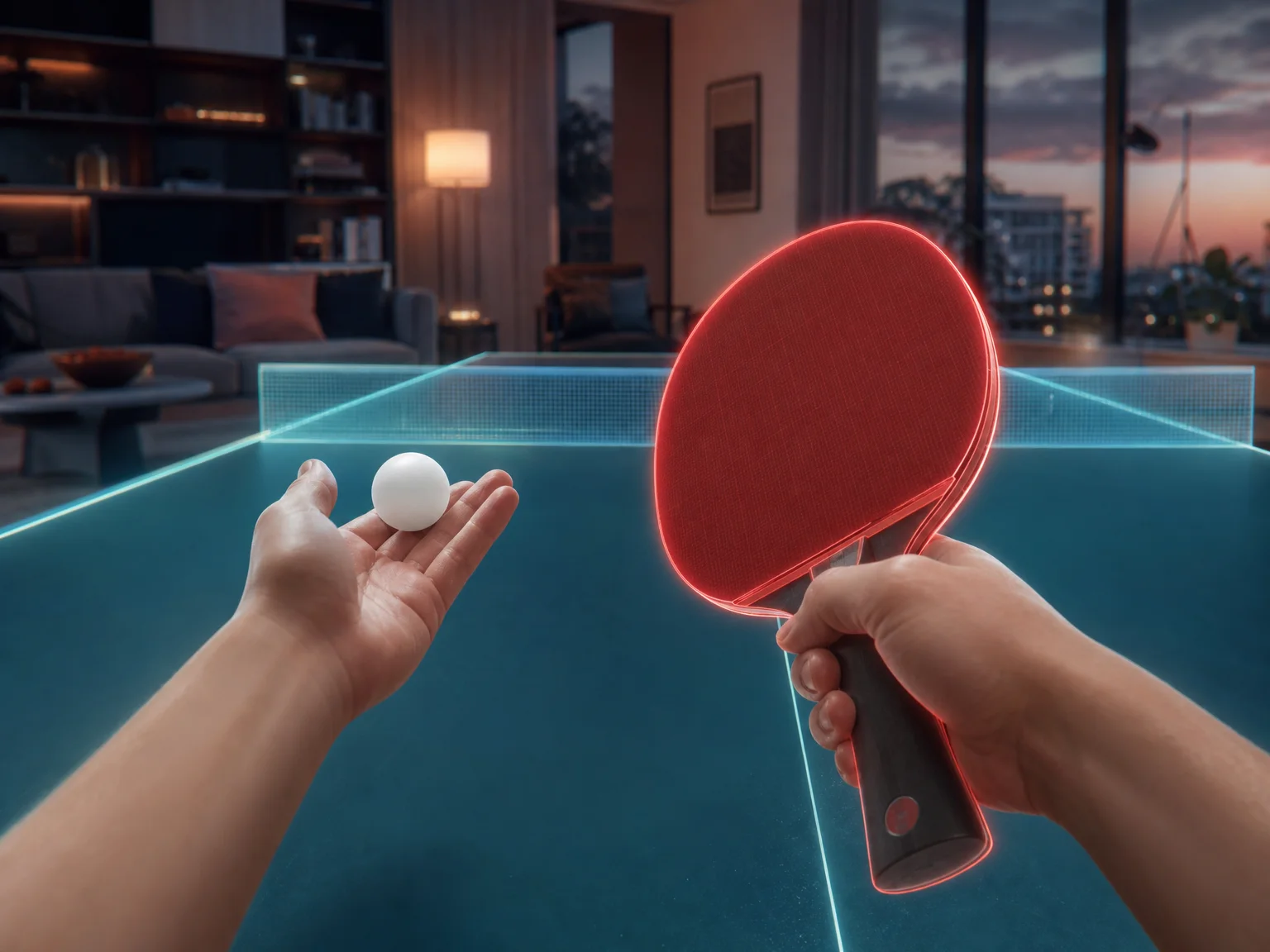
Hand tracking
No controller? Your hand is enough.
Make a fist: the virtual paddle slides right in. With your other hand, toss the ball to serve. On Quest 3, the depth sensor puts your real hands in front of the virtual table and ball: the illusion is stunning.
- Controllers, bare hands, or one of each
- Paddle angle adjustable with the thumbstick or in settings
- Adjustable vibration when playing with controllers
SPINATOR signature
The spin trail: see the spin on the ball
The ball's glowing trail takes the colour of its spin. You see at a glance what your opponent is sending you, and whether your shot really bit.
- Orange-red = topspin the ball dips fast after the net and speeds up off the bounce.
- Blue = backspin the ball floats, then brakes and stays low.
- Purple = sidespin the path curves left or right.
- White = flat ball, almost no spin.
Prefer to play old school? The trail can be turned off in settings.
Side view · topspin: the ball dips after the net.
How to play
Play table tennis in your living room in 3 steps
Less than a minute from putting on your headset to your first serve.
-
Put on your headset
Turn on your Meta Quest and check your boundary: about 2 × 3 m of free space around you.
-
Open the address
In the Quest browser, go to immergence-studio.fr
/spinator or/play -
Choose VR or MR
Tap Play in VR or Play in MR. In MR, point at the floor to place the table, rotate it, confirm. Your serve!
Controls at a glance
- Free hand short press
- Serve
- B / Y or the MENU tab
- Pause and menu
- Grip on the other controller
- Switch hands
- Thumbstick
- Adjust paddle angle
In settings: paddle angle, vibration strength, volume and table finish (Club, Classic or Night). Game language: French, English, Spanish, German, Portuguese, Japanese or Chinese.
Game modes
Face the AI, practise, or challenge your friends online
-
 Available
Against the AI players
Eight AI opponents and the Circuit, or the computer in three levels. Official rules and an automatic umpire: perfect to improve at your own pace.
-
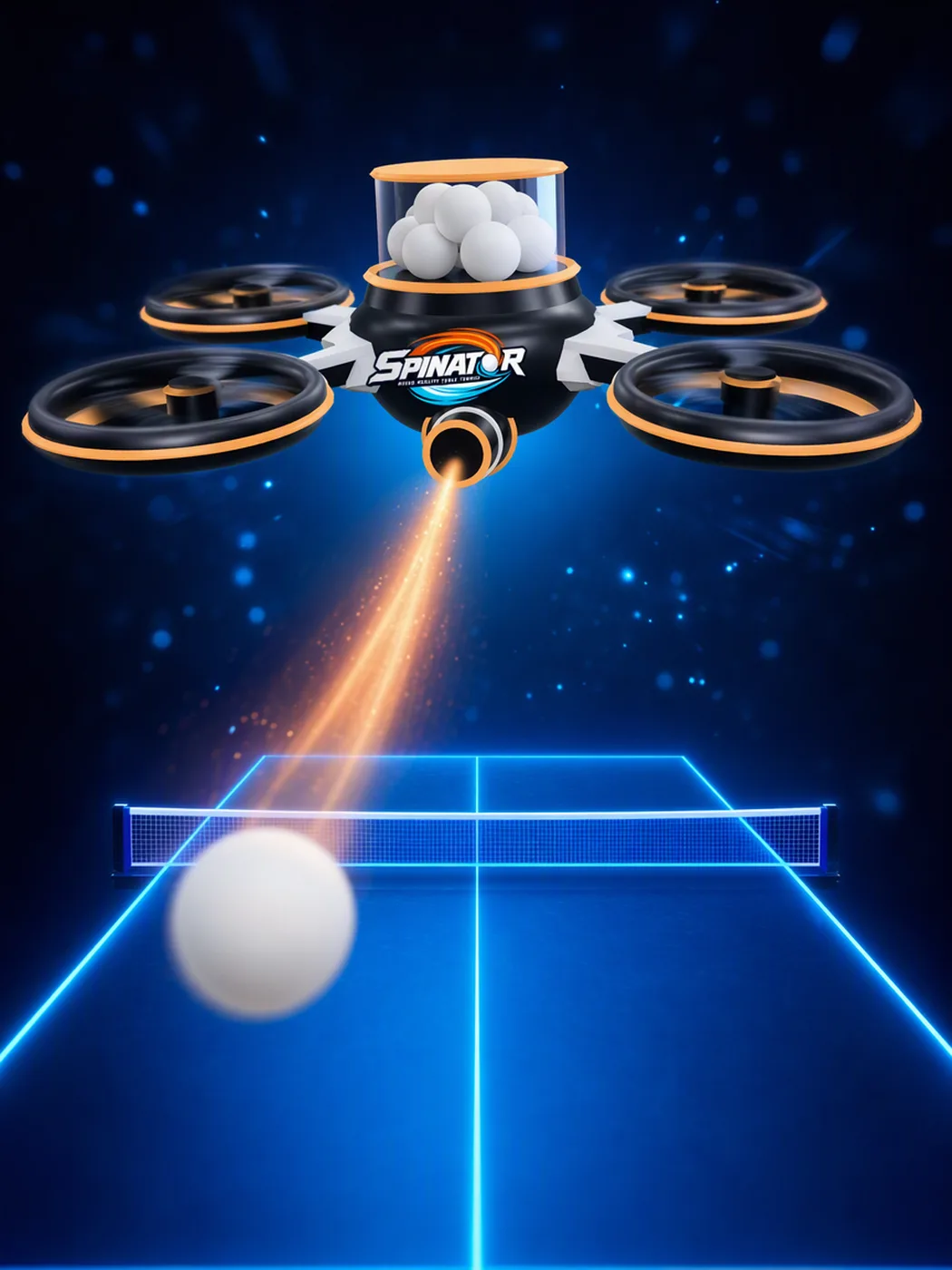 Available
Practice
The launcher drone keeps them coming: ball by ball, rally or targets. Work on your forehand, count your streak, go for the medals.
-
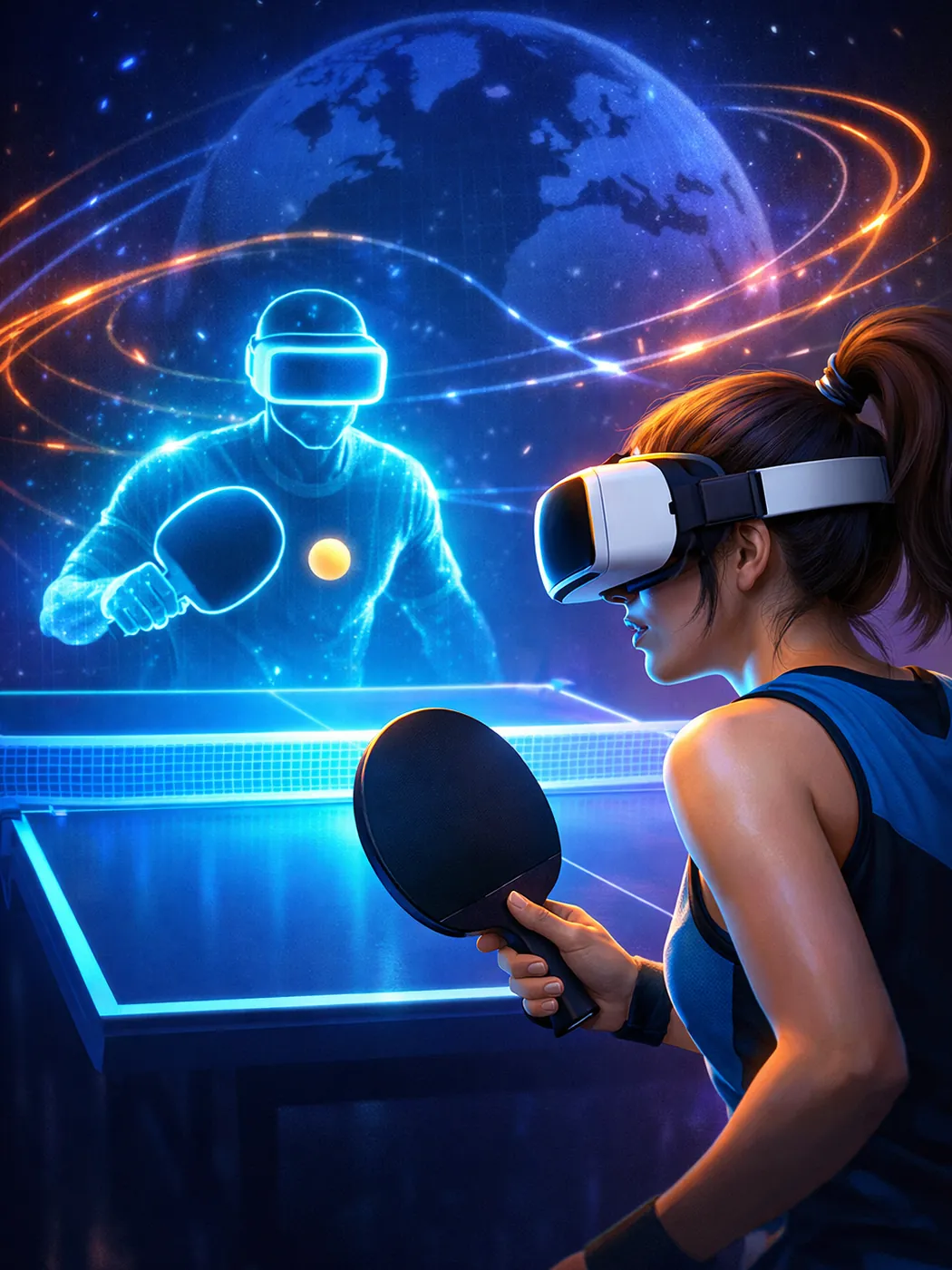 New
Online 1v1
Quick match, public rooms or a code for friends. Voice chat, video from your phone, spectators, and a world ranking.
Online multiplayer
Online 1v1: a real opponent, each in their own room
Choose Online in the headset. Within seconds you face another player across the same virtual table: you hear their voice and see their paddle follow their real moves.
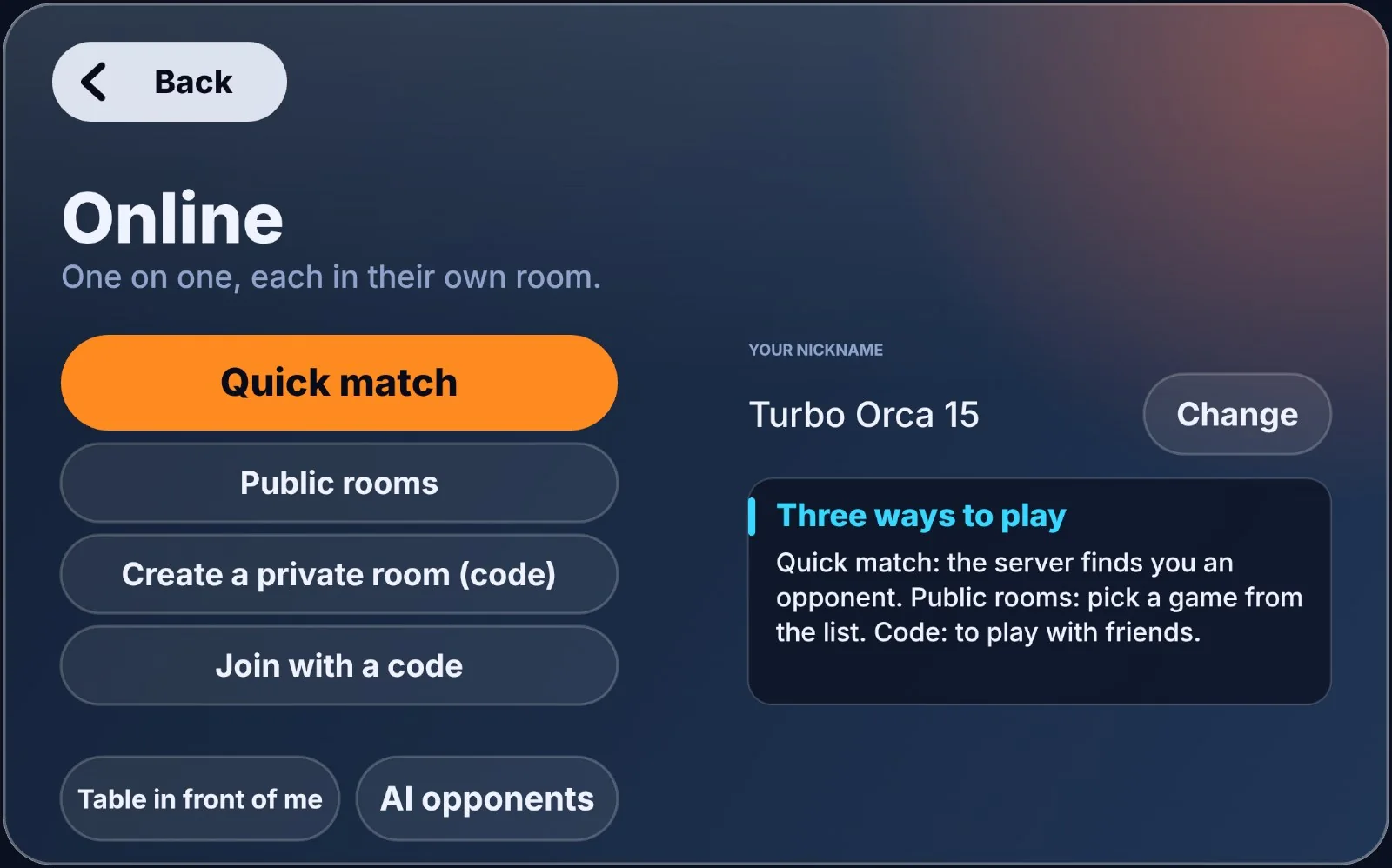
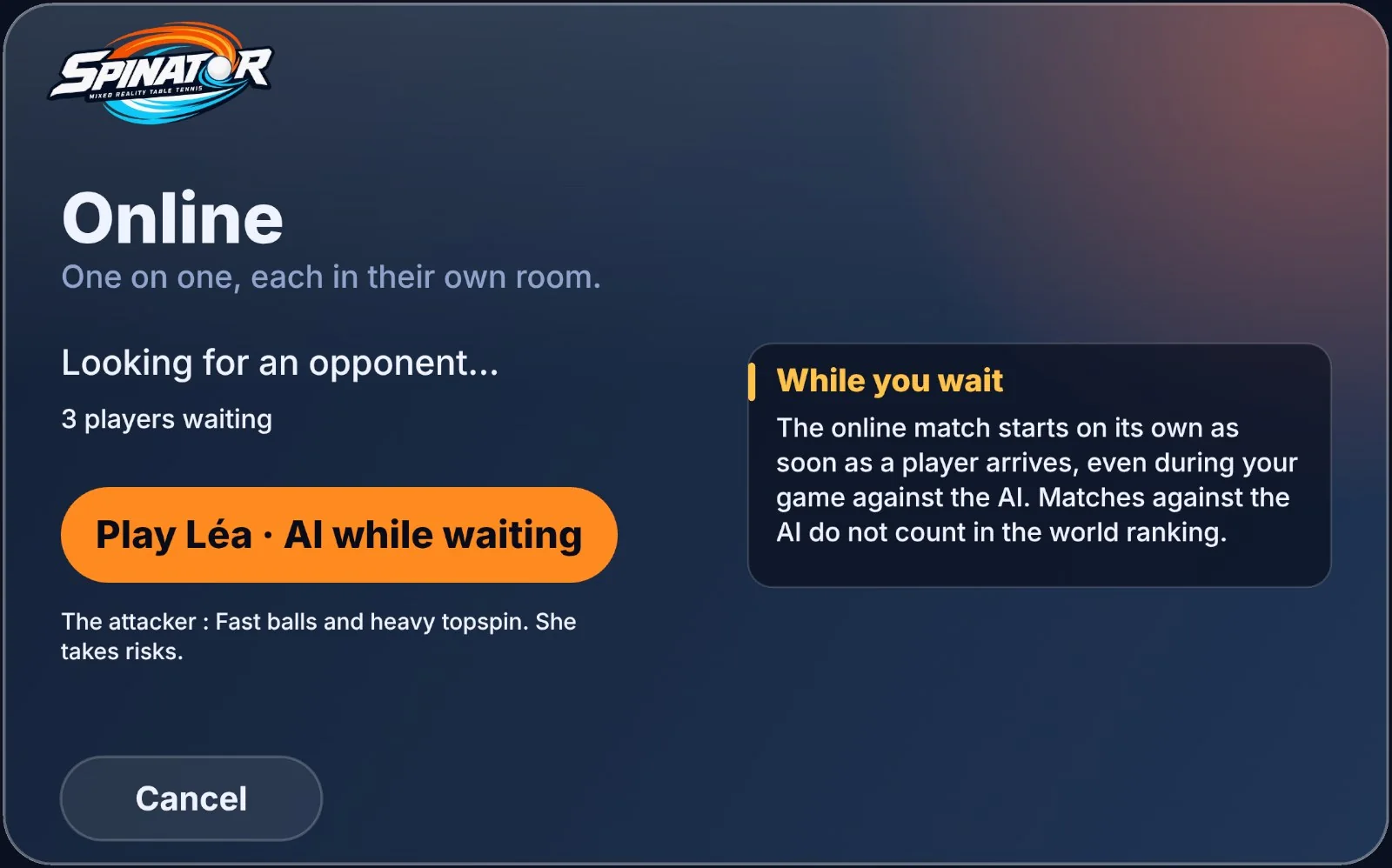
Quick match, public room, code or link
- Quick matchThe server finds you an opponent. Meanwhile you rally against an AI player: the online match starts as soon as someone arrives.
- Public roomsThe list of open games and how long they have been waiting. One press and you are in.
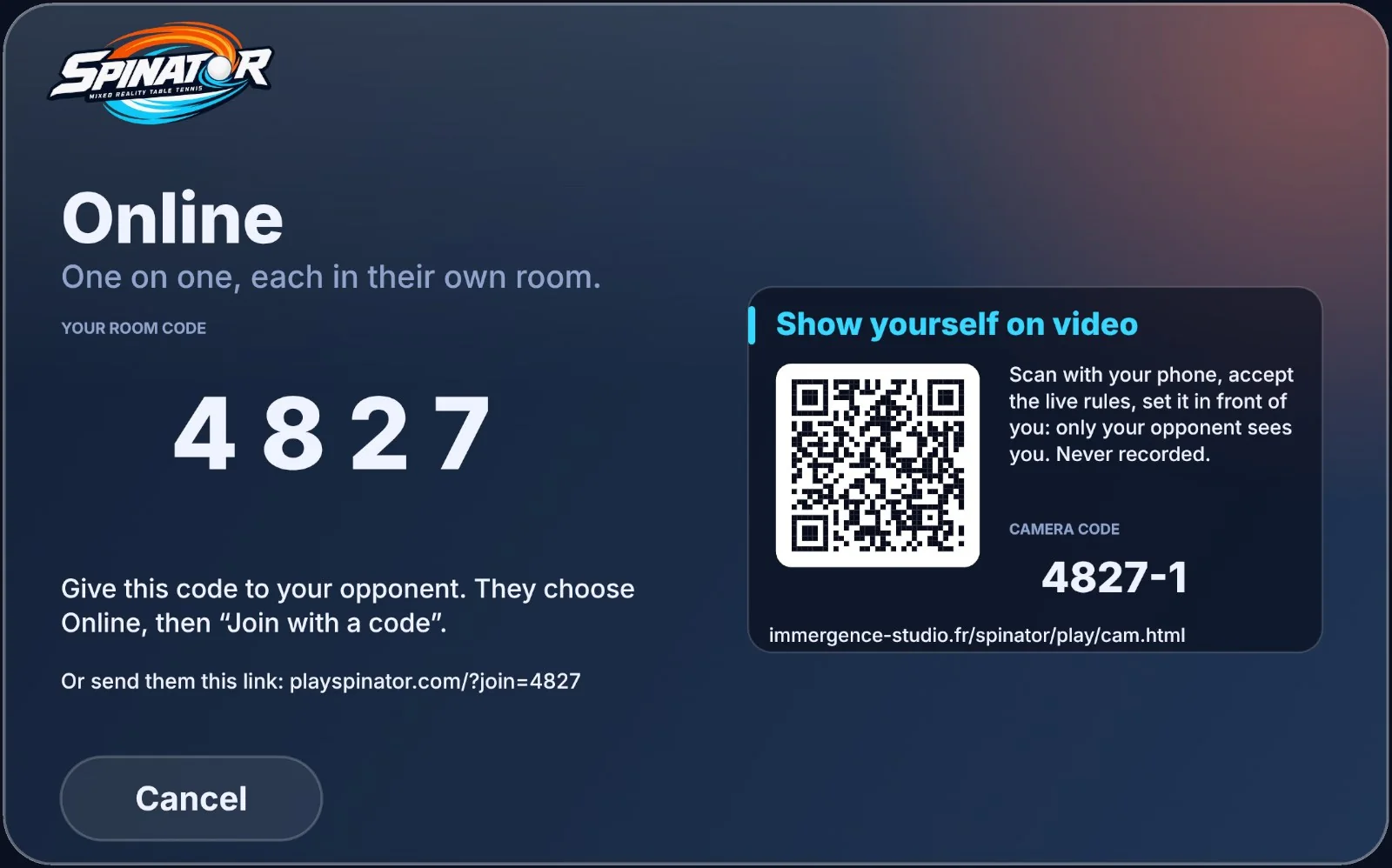
- Private roomCreate your room; your friend types the 4-digit code shown in your headset.
- Invite linkSend the room link: it opens the game straight into your match.
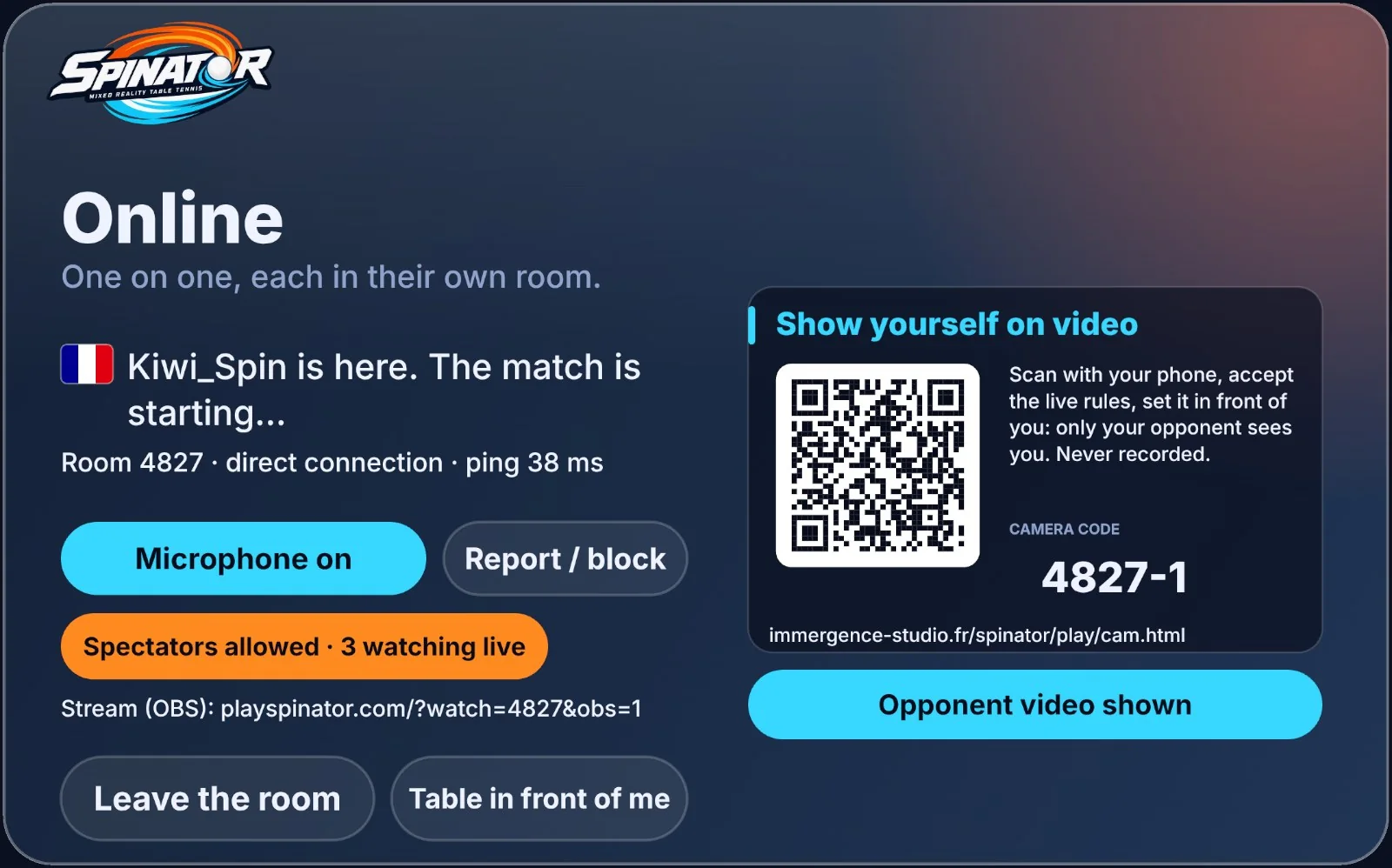
Like at the club table, from a distance
- Voice chat, mute in one press
- Your opponent live: their headset and paddle follow their moves
- Video from your phone, if you both want it
- Direct connection between the two headsets when the network allows, ping shown
- Spectators if the host allows them, and a rematch in one press
- Report or block a player at any time
New · Tournaments
A tournament every evening, the big bracket on Sunday
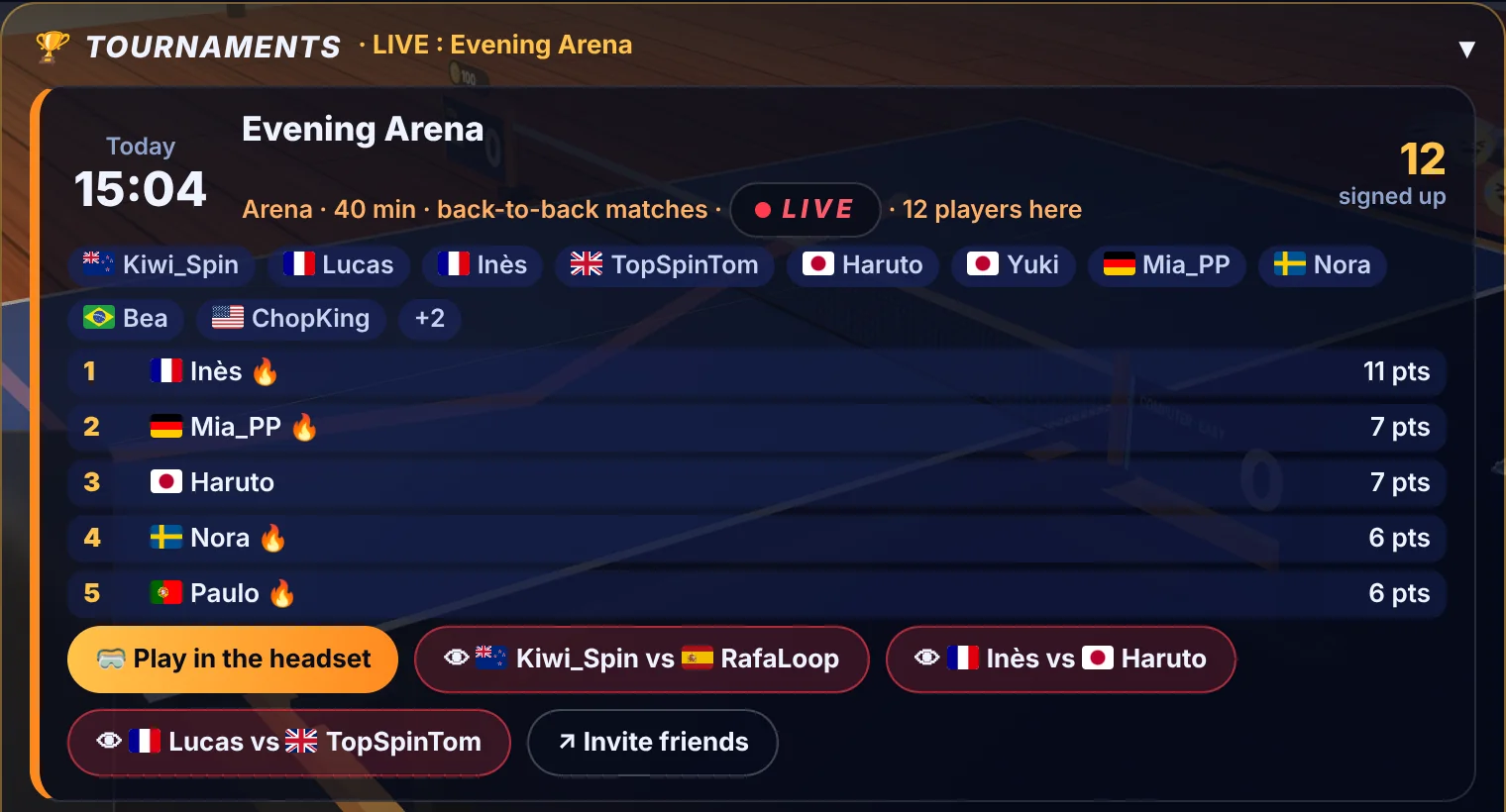
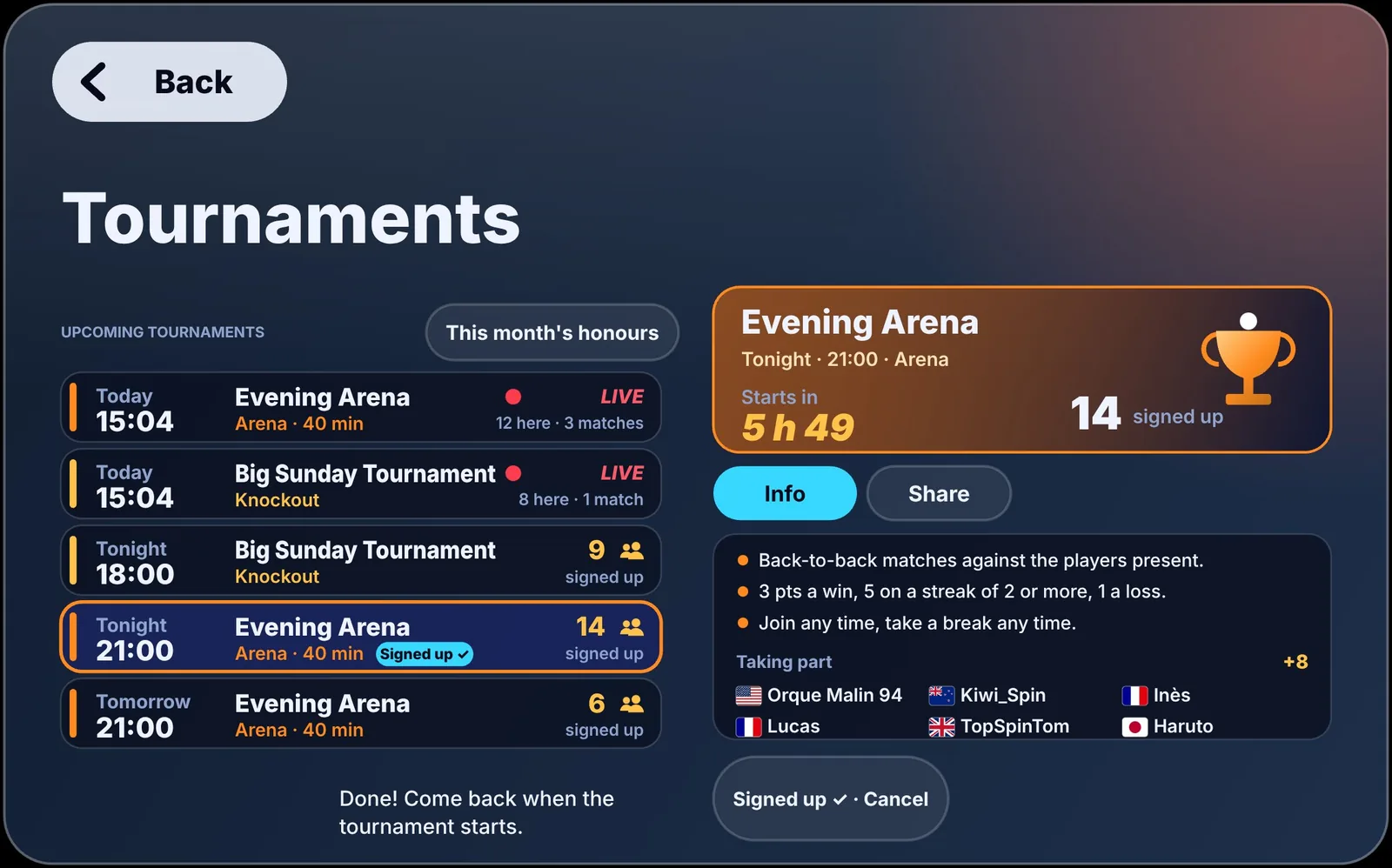
No more waiting for an opponent: everyone meets at the same time. Sign up, come back when the tournament starts and play match after match against real players. Free, like the rest of the game.
-
Every day21:00
Evening Arena
Arena · 40 min
Back-to-back matches against the players who are there. Join when you like, take a break when you like: as soon as you are ready, the server finds you an opponent close to your level.
- Win 3 pts
- On a streak (2+ wins) 5 pts
- Loss 1 pt
-
Sunday18:00
Big Sunday Tournament
Knockout · 2 h
At kick-off, a bracket of 4, 8 or 16 players is drawn from those present, seeded by level. Win your match to reach the next round, all the way to the final.
- Quarters
- Semis
- Final
- Podium
Paris time
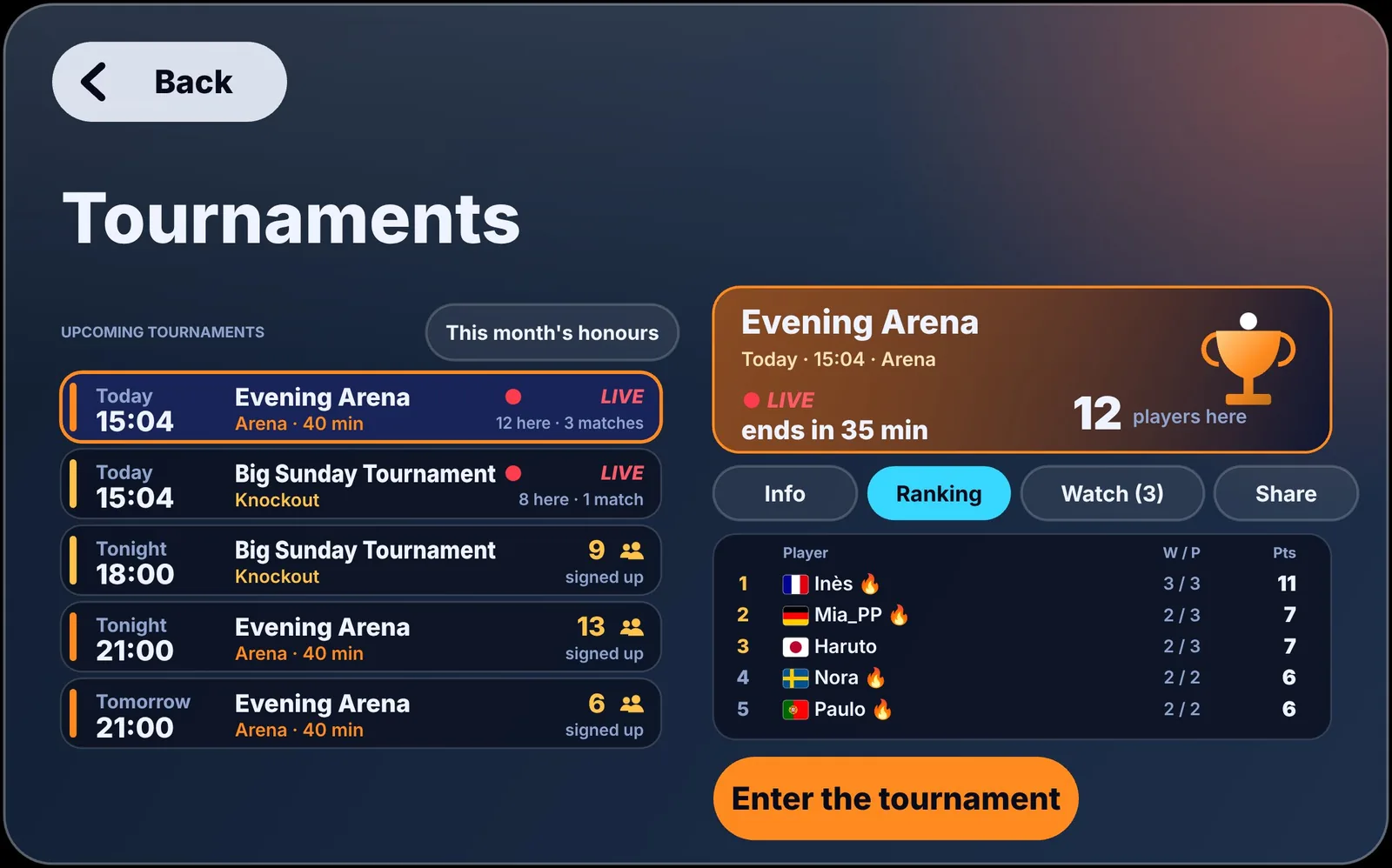
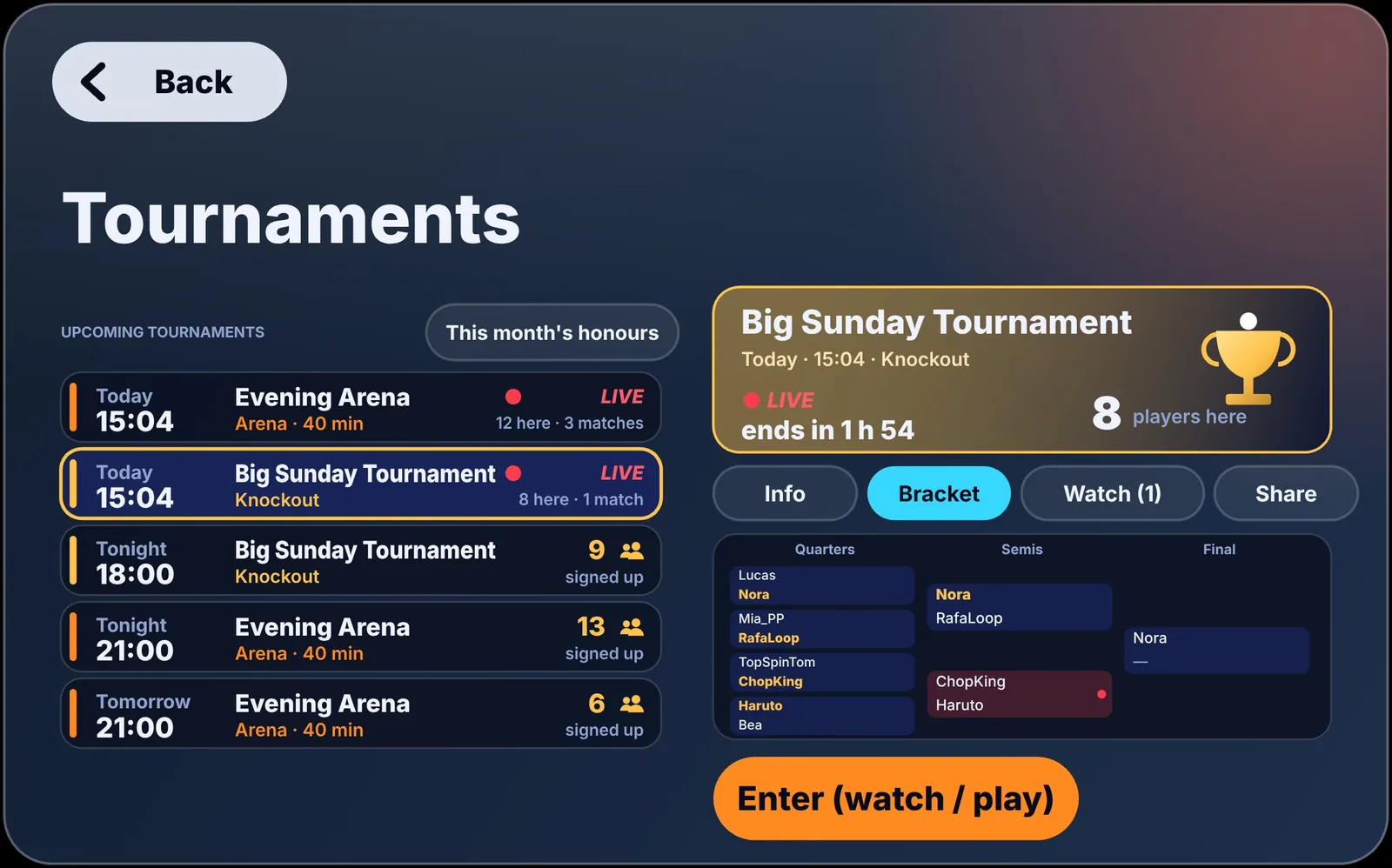
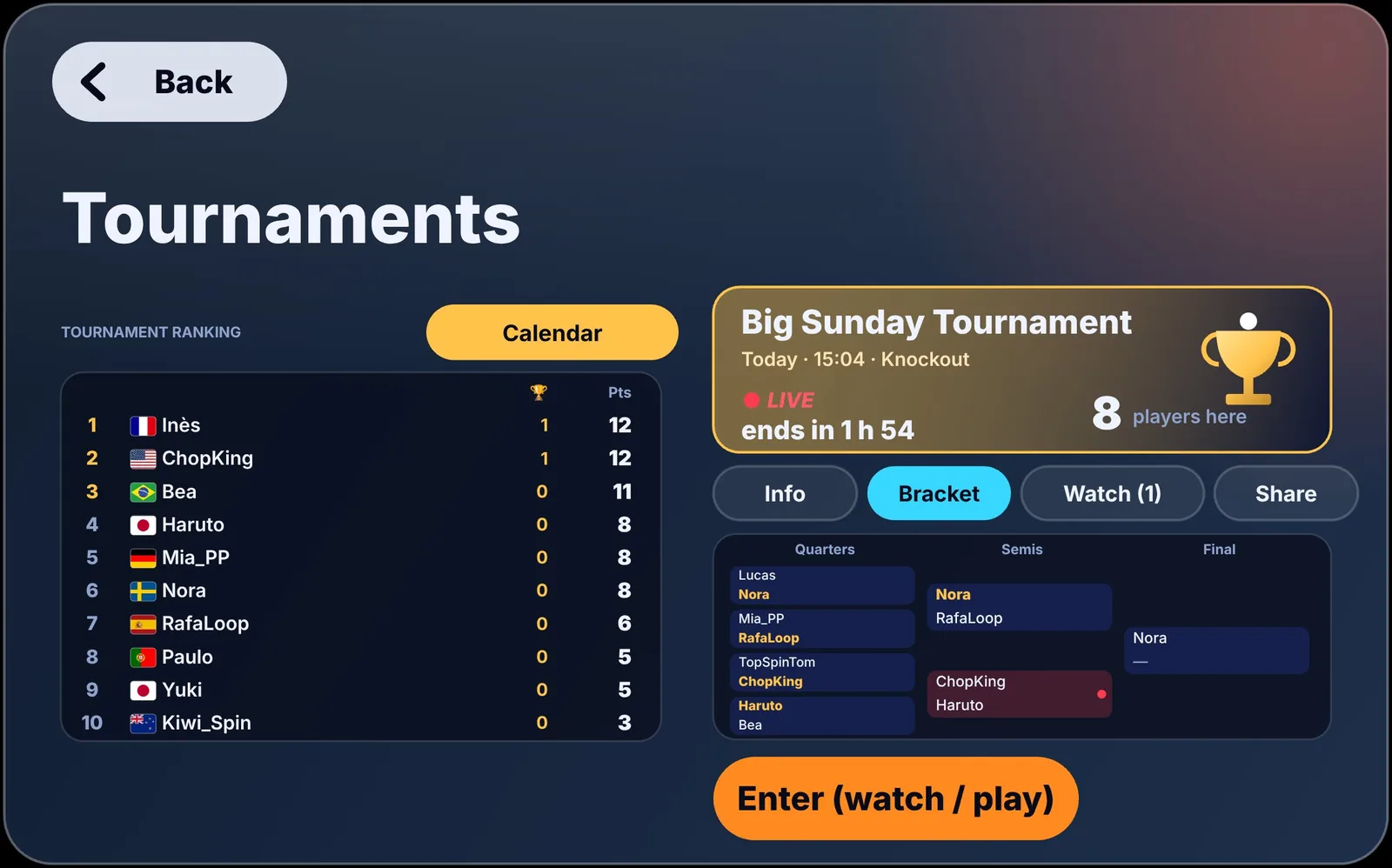
The live bracket, this month's honours
Follow the Sunday bracket round by round, in the headset or on the game page. Every tournament adds points to the monthly honours, based on your final place:
- 12 ptsSunday winner
- 8 ptsSunday finalist
- 10 ptsArena winner
- 1 ptat least, for every tournament played
Sign up, come back on time, play
- Open Tournaments in the headset, or the game page on your phone, and tap I'm in. Everyone can see how many players have signed up.
- Add the tournament to your calendar (reminder 15 min before) and send the link to your friends.
- When it starts, enter the tournament: your next opponent comes to you, match after match.
Knocked out, or no headset at hand? Watch the tournament matches live in your browser or in your headset, and cheer for your favourites.
- Free, no account: your profile code is all you need
- AI players never take part in tournaments
- A result counts when both players confirm it
- Fewer than 4 players on Sunday? It is played as an arena
World ranking
Climb the ranking, from Bronze to Champion
Every online match against a real player counts. Beat someone stronger and you take more points; lose to someone weaker and you give more away.
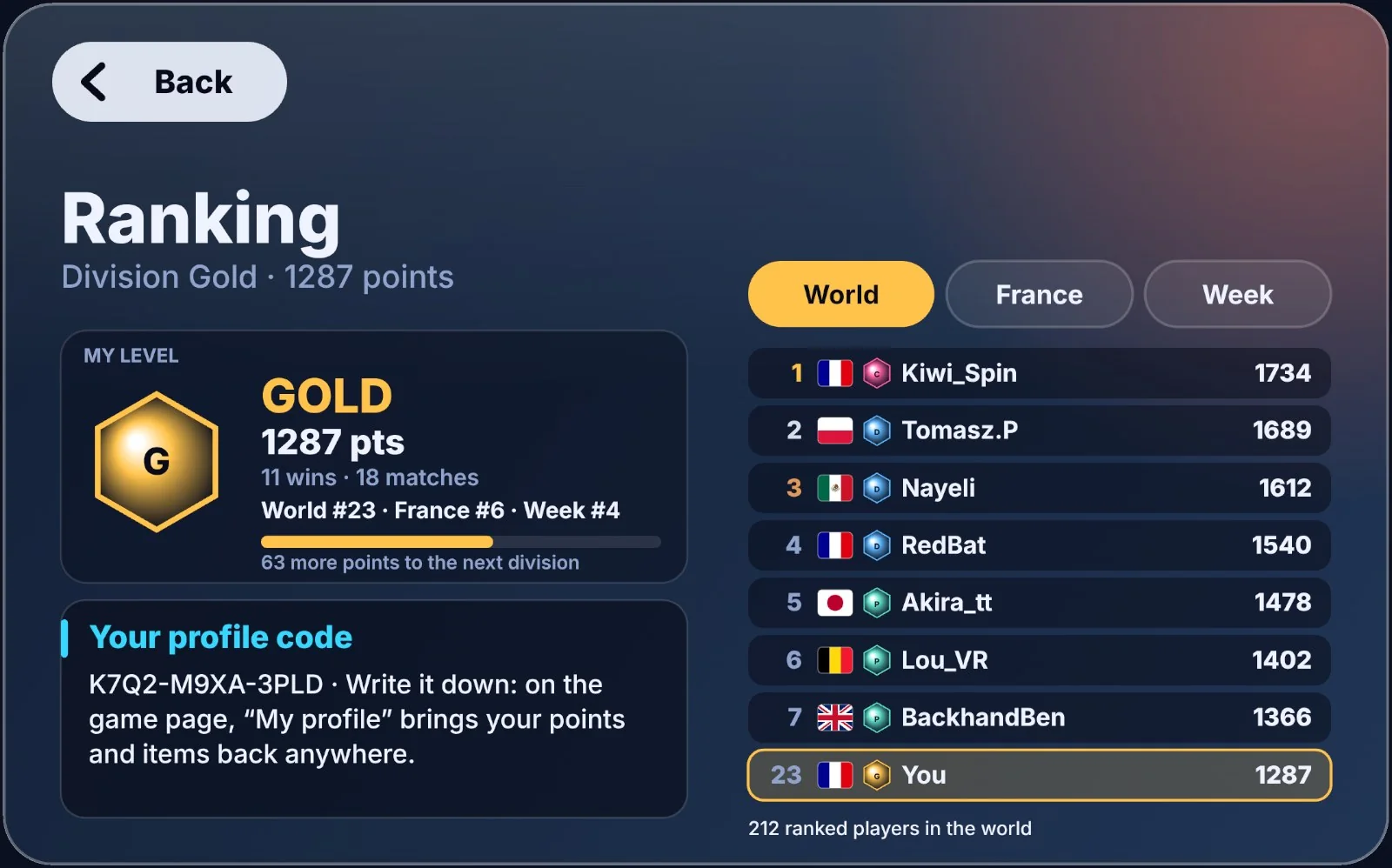
Your division, your country, your week
- Bronze start
- Silver 1100
- Gold 1200
- Platinum 1350
- Diamond 1500
- Champion 1700
Everyone starts at 1000 points. After 3 placement matches you appear in all three boards:
- Worldevery ranked player
- Your countryunder your flag
- Weekpoints won since Monday
- A match counts when both players report the same result
- Matches against AI players never count
- At most 3 ranked matches a day against the same opponent
- No account: your profile code brings your points back on another device
Practice
Three drills with the launcher drone
No opponent around? The drone feeds you the balls, you work on your stroke and beat your record. It is also a good way to warm up before your first online match.
-
 Your pace
Ball by ball
One ball each time you press with your free hand. Take your time to tune your stroke and paddle angle: the spin filament shows the spin you put on the ball.
Streak and record
-
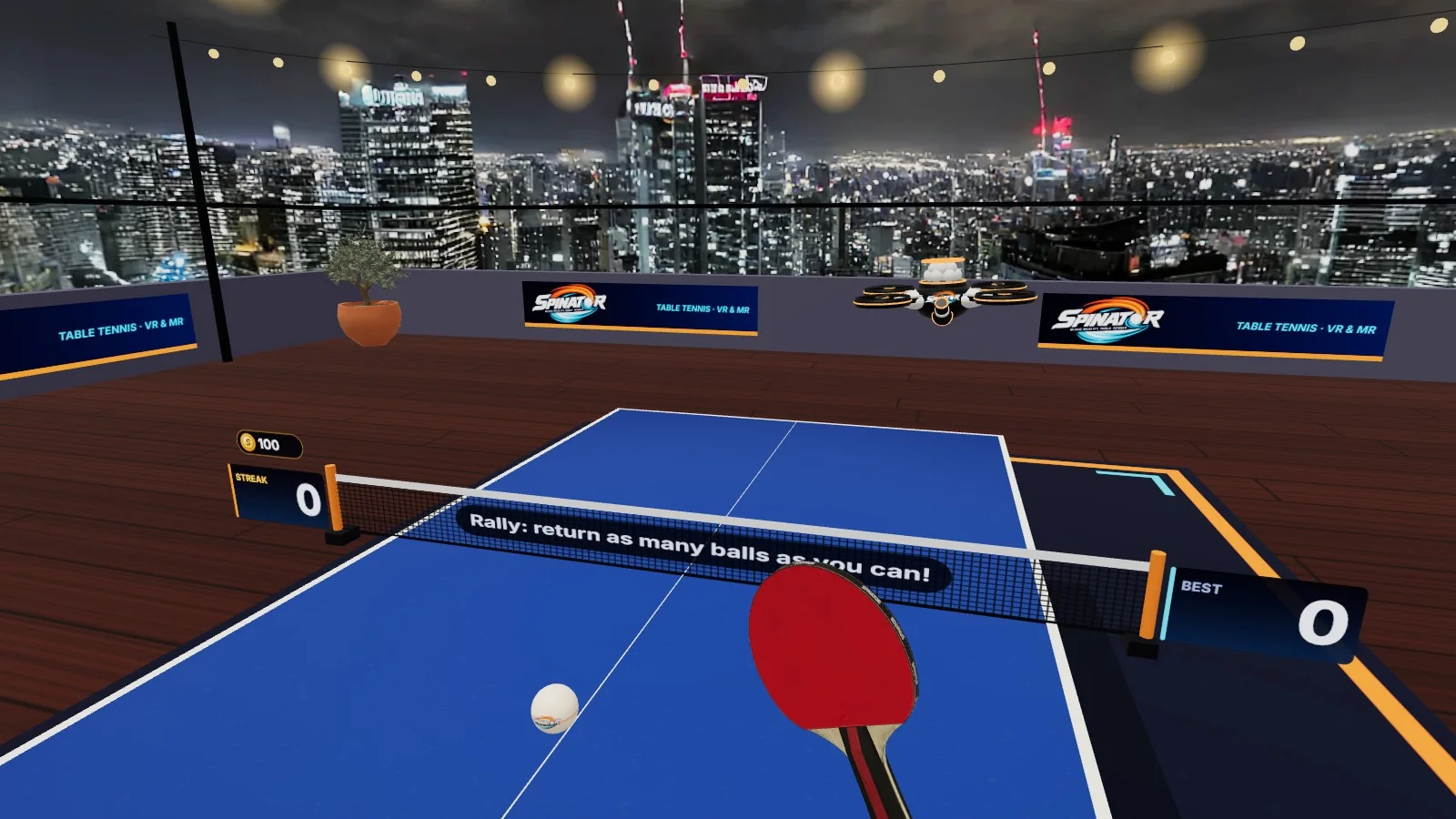 Rising pace
Rally
The drone moves along the table and keeps firing: one ball every 1.7 s at first, down to 0.85 s as your streak grows. Send them all back.
Streak and record
-
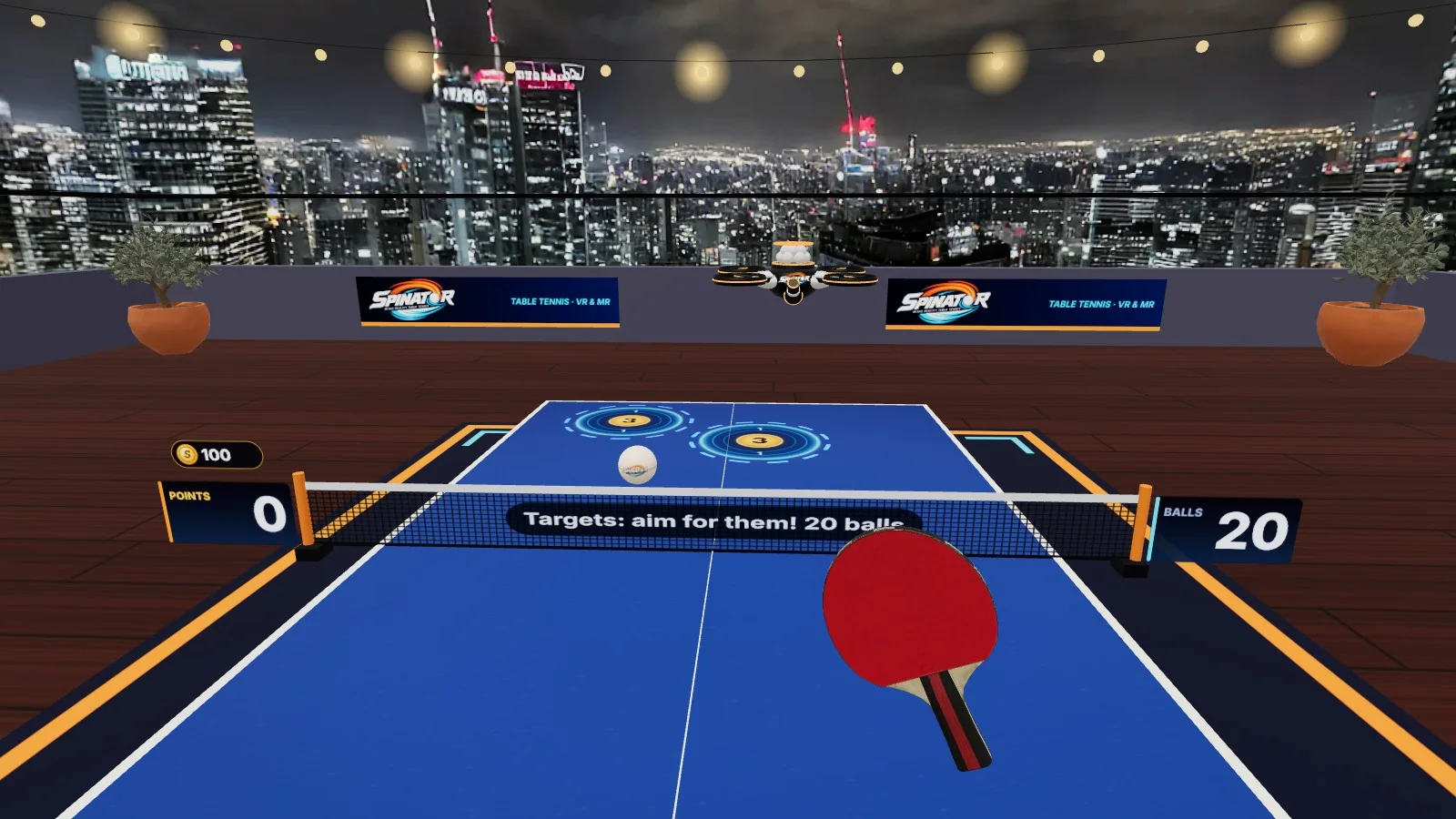 Medals
Targets
20 balls and targets on the far side of the table. Aim for the bullseye (3 points) or the ring (1 point) and earn your medal.
Bronze 10Silver 20Gold 35
In-game screenshots, night rooftop.
The Circuit
8 AI opponents, each with a style
Chopper, topspinner, wall, showman… Each AI player has their own way of playing and motion-captured strokes. Face them in the Circuit and win the Bronze, Silver and Gold cups. AI players are always labelled “AI” and never count in the world ranking.

-

Léa AI
Fast balls and heavy topspin. She takes risks.
-

Kenji AI
Low, slow backspin balls: you have to make the play.
-

Marco AI
He returns everything, everywhere. Patience and placement.
-

Sofia AI
Sidespin and changes of pace. Ideal for beginners.
-

Malik AI
Right at the table, he returns very fast. Be ready.
-

Oskar AI
Heavy topspin that kicks off the bounce. Step back a little.
-

Amara AI
She aims for the corners and rarely misses.
-

Diego AI
Smashes and wild spin… but he misses easy balls too.
New · Live
Play live, with friends watching
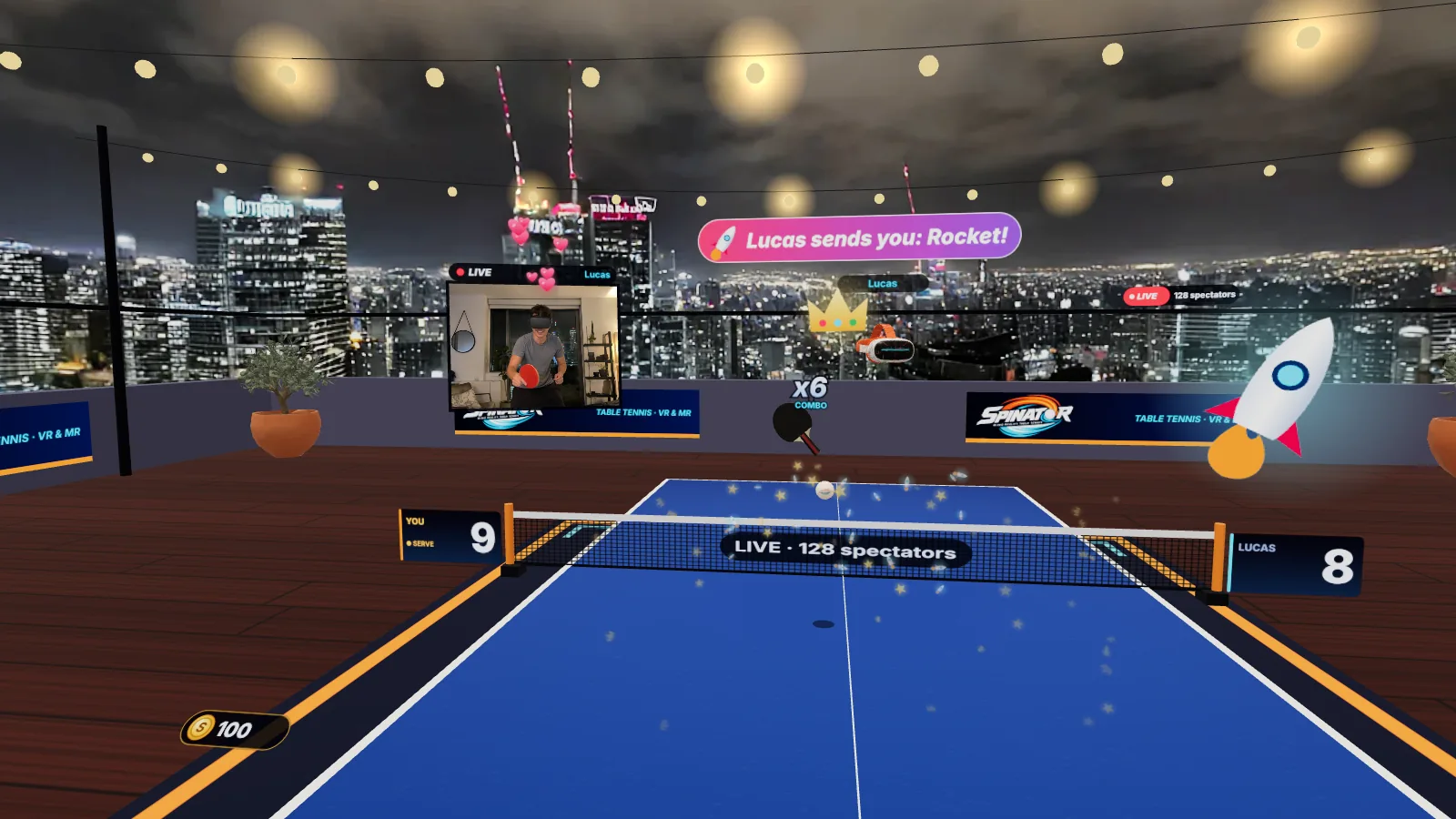
Your opponent sees the real you, your friends watch the match, and every great point makes hearts rain down. It all happens in the headset, with nothing to install.
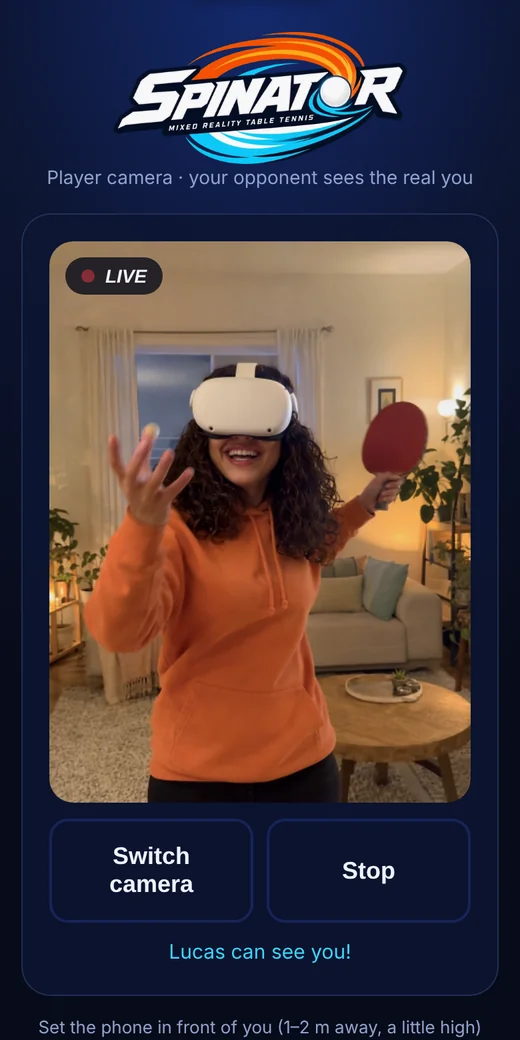
Show yourself on video, in 3 steps
- In the headset, open Online and create or join a room.
- Scan the QR code shown with your phone, or open the camera page and type the camera code (e.g. 4821-1).
- Accept the rules, allow the camera and set the phone in front of you, 1 to 2 m away.
Your opponent sees you in a LIVE window next to their table. The video goes to them only, is never recorded, and you can stop it anytime.
Person on the phone visual: AI-generated image.
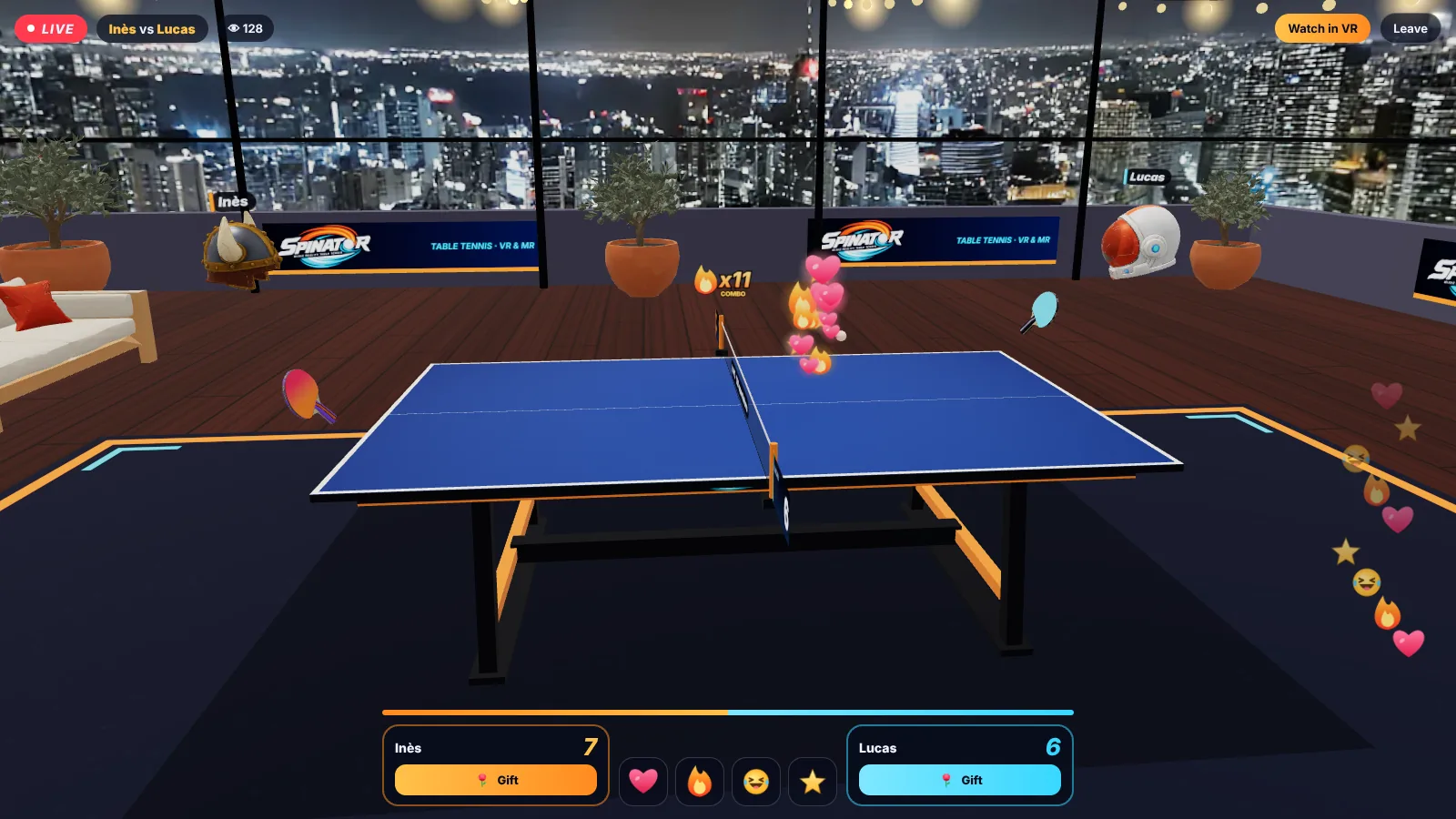
Your friends watch the match live
They open the game page and pick your match under Live matches, or type its code. They follow it in their browser with TV-style camera shots, or in their headset, and send hearts and gifts.
The host opens or closes the live. Spectators never see the camera video: only the headsets, paddles, nicknames and score.
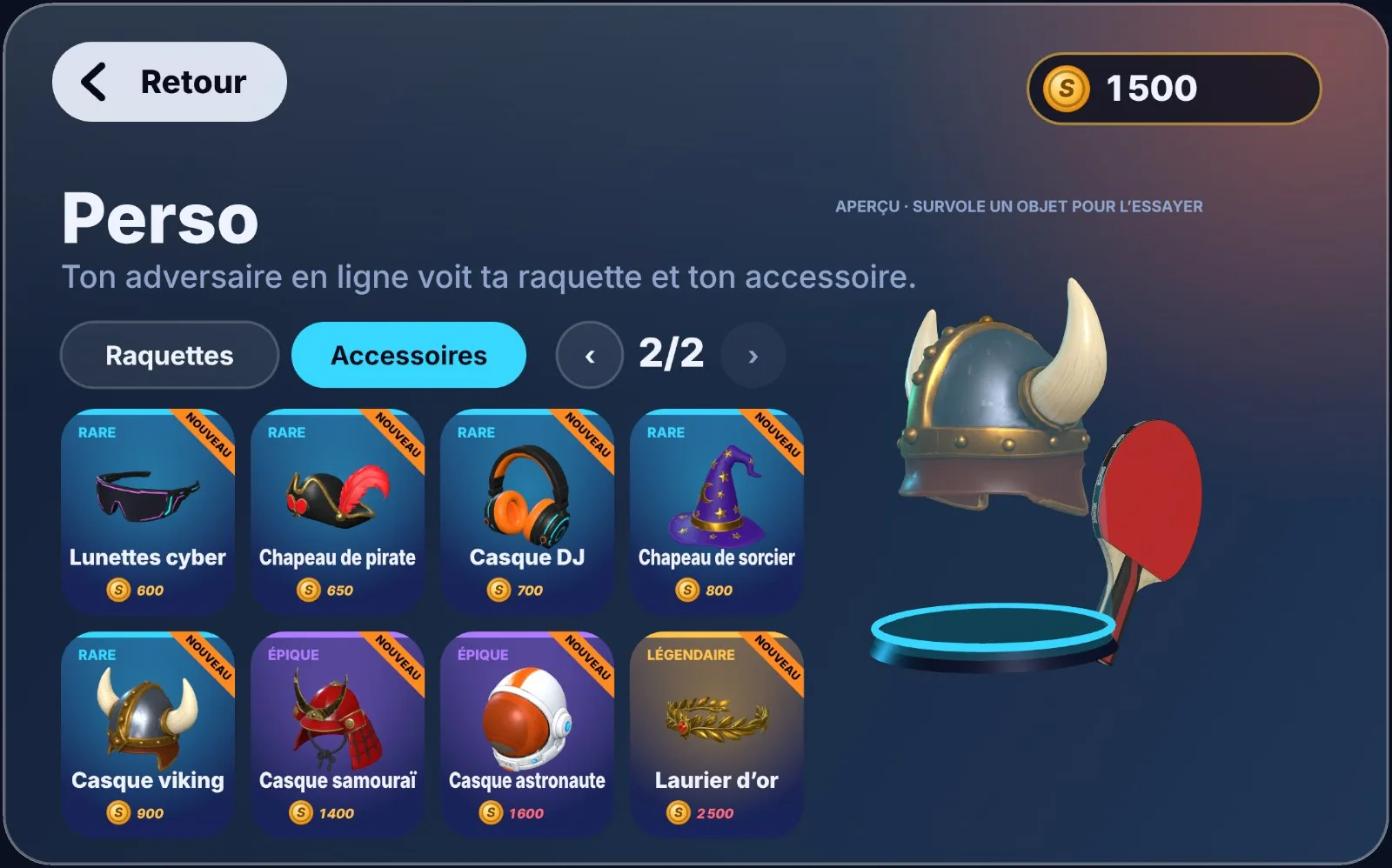
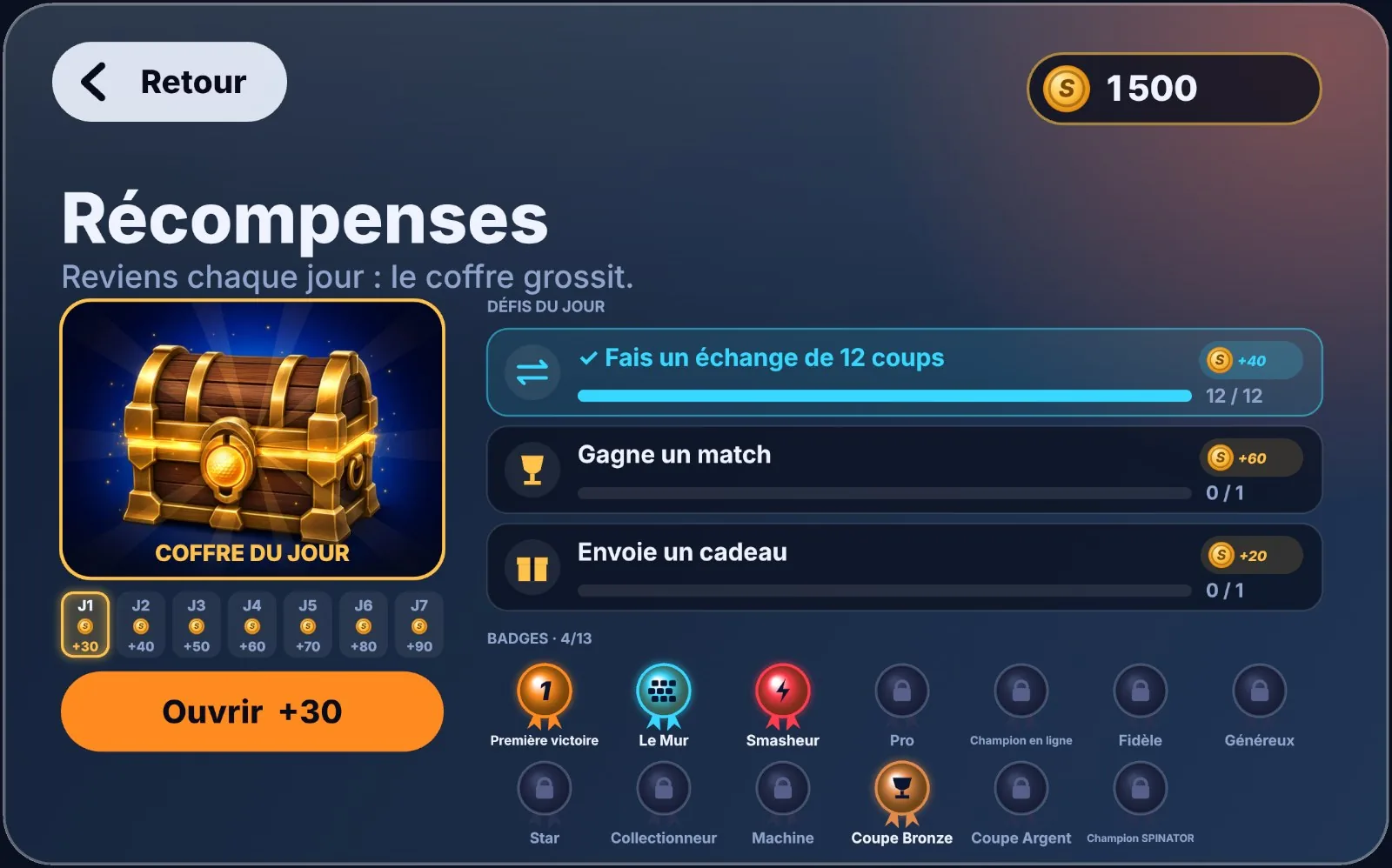
Coins to earn, not to buy
Rose, fireball, rocket, crown, trophy… Gifts fly over the table and whoever receives them earns coins. Customise your paddle and head accessory (Viking helmet, wizard hat, astronaut helmet…), open your chest every day, take on 3 challenges and unlock 13 badges.
Coins are earned only by playing. There are no real-money purchases in SPINATOR.
Screenshots
The rooftop at night, as if you were there
Matches against the AI players and the new menus.
In a match
-
Diego, an AI player, goes for every ball
-
Léa, AI player: fast balls and topspin
-
Malik, AI player, right at the table. Combo x5
-
Reactions fly over the table during the rally
-
Rally against the computer: strokes recorded with motion capture
-
Spectator mode, live in the browser
In the menus
All images in this section are real screenshots of the game (browser version). The opponents shown are AI players.
Compatibility
Mixed reality table tennis on Meta Quest 3
The game runs in the headset browser. Here is what you get with each model.
-
Recommended
Meta Quest 3 / 3S
- VR and colour mixed reality
- Occlusion: your hands pass in front of the table (Quest 3, depth sensor)
- Controllers or bare hands
-
VR
Meta Quest 2
- Full VR
- Black and white mixed reality
- No depth occlusion
-
Experimental
Pico 4
- Support currently being tested
- Some features may vary
-
Computer / mobile
No headset?
The game needs a VR headset. From your computer or phone, and scan it with your Quest, or send yourself the link.
Sponsors & partners
Your brand on the club banners
The boards around the SPINATOR table can carry partner banners, visible during every rally. Immersive, non-intrusive visibility with VR players.
FAQ
FAQ about free VR table tennis
Is SPINATOR really free?
Yes. SPINATOR is free: no purchase, no subscription and no account needed to play.
Do I need to install anything?
No. The game runs right in the headset browser thanks to WebXR. Just open playspinator.com and tap Play in VR or Play in MR. Bookmark it to find it again in one tap. It is also coming to the Meta Horizon Store.
Which headsets can I play on?
Meta Quest 3 and Quest 3S are recommended: they offer colour mixed reality and hand occlusion. On Quest 2, VR works; mixed reality is black and white, without occlusion. Pico 4 support is experimental. On a computer or phone you need a headset to play.
Can I play with bare hands, without controllers?
Yes. With hand tracking, the virtual paddle sits in your fist. On Quest 3, your real hands pass in front of the virtual table and ball thanks to the depth sensor. You can also keep a controller in one hand and play bare-handed with the other.
How much space do I need?
Allow about 2 × 3 metres of free space, with no furniture or fragile objects within arm's reach, and set up your headset boundary before playing. Then place the virtual table wherever you like by pointing at the floor.
Can two people play online?
Yes. Choose Online in the headset: quick match (the server finds you an opponent, and you play an AI player while you wait), public room, private room with a 4-digit code, or an invite link. Matches are 1v1 with voice chat; your opponent appears as a floating headset with their paddle. Online matches count for the world ranking.
How does the ranking work?
Every player starts at 1000 points. Beating a stronger player earns more points. After 3 online matches you appear in the World, Country and Week boards, and you move up the divisions: Bronze, Silver, Gold, Platinum, Diamond, Champion. A match counts when both players report the same result; matches against AI players never count. No account: your profile code brings your points back on another device.
How do I take part in a tournament?
Open Tournaments in the headset, or the game page on your phone, and tap “I'm in”. There is an Evening Arena every day at 9 pm Paris time (40 minutes) and the Big Sunday Tournament at 6 pm (knockout). When it starts, enter the tournament: the server gives you your opponents, match after match. It is free and needs no account.
Can I watch a tournament?
Yes. Every tournament match is open to spectators: on the game page, the Tournaments box lists the matches being played, and you can follow them in your browser or in your headset.
How do I show my face to my opponent?
In the Online lobby, scan the QR code with your phone (or open the camera page and type the code shown), then set the phone in front of you. Your opponent sees you in a LIVE window next to their table. The video goes directly between the two of you and is never recorded. Everything is explained on the Live camera: how it works and rules page.
Can I watch a match without playing?
Yes, if the host allows it. Open the game page and pick a match under Live matches, or enter the match code: watch it in your browser with TV-style camera cuts, or in your headset, and send reactions and gifts.
Do gifts cost real money?
No. Gifts are paid with virtual coins earned by playing (points, wins, daily challenges, daily chest). There are no real-money purchases in SPINATOR.
What data is collected?
No account is required. In mixed reality, the image of your room is shown by the headset itself; depth data is used in real time to put your hands in front of virtual objects. On this page, analytics and advertising cookies are only set with your consent (). Details in our privacy policy.